Capture Meetings
Without The Busywork
Record meetings and review transcripts, summaries, and answers in your selected processing mode. Check model readiness and processing settings. Free to download.
Built Different.
Built For You.
Choose the processing mode that fits your meeting, and check its connection and model requirements.
Free to Download
Download Nōtare for free, with optional paid AI Plus and AI Pro subscriptions. Review current pricing and included features in the app before purchasing.
Choose Your Processing Mode
Local summaries and chat depend on a ready local model. Apple Speech transcription may require a connection; optional cloud features require one.
Private by Design
Review storage and processing separately. Check the selected mode and privacy details before recording.
Before Your Meeting
- Check microphone permissions
- Review Apple Speech settings
- Prepare your selected model
- Make a short consented test
Nōtare
- Free to download
- Processing depends on your selected mode
- Local and optional cloud modes
- No ads or cross-app tracking
Everything You Need for
Productive Meetings
From recording to AI-powered insights — Nōtare handles the busywork so you can focus on what matters.
One-Tap Recording
Start capturing any meeting instantly. Crystal-clear audio recording with background noise reduction.
AI Transcription
Check your in-app transcription mode. Apple Speech, where used, may process audio on Apple servers. Optional remote transcription sends audio to a cloud provider.
Smart Summaries
Get instant meeting recaps with action items, key decisions, and follow-ups extracted automatically.
Ask AI About Meetings
Chat with your meeting transcripts. Ask questions, find action items, or get detailed breakdowns — using your selected processing mode. Optional cloud models send relevant text to a provider.
Everything in Nōtare Pro
Cloud AI models, note imports from the apps you already use, and your Mac's biggest models on your phone — all unlocked with one subscription.
Claude Sonnet 4.6
AnthropicState-of-the-art reasoning and analysis for complex meeting content.
GPT-5
OpenAIAdvanced language understanding for nuanced summaries and insights.
Cloud AI Models
Choose optional subscriber cloud models. Relevant text is sent to the selected provider; see the privacy policy.
Import Your Notes
Bring your Obsidian vault, Notion export, and Apple Notes straight into Nōtare — deduped on every re-import.
Nōtare Link
Host large AI models on your Mac and use them from your iPhone over your own Wi-Fi. Check that Nōtare Link and a compatible model are ready.
Remote Whisper
Optional remote Whisper transcription sends meeting audio to a cloud provider. Review the privacy details before enabling it.
Deeper Analysis
Multi-layered insights, strategic recommendations, and executive-ready summaries.
Choose Your Model
Switch between Claude and GPT-5 to find the AI that works best for you.
Bring the notes you already have
Nōtare Pro connects to the tools you use — import once, keep everything in one private workspace.
Obsidian vaults
ObsidianPoint Nōtare at a vault folder and every markdown note comes across, links intact.
Notion exports
NotionDrop in a Notion .md or .zip export and turn pages into searchable Nōtare notes.
Apple Notes
Apple NotesSync your Apple Notes into Nōtare so everything lives in one private workspace.
Designed to Be Simple & Powerful
A clean, intuitive interface that gets out of your way. Set up meetings in seconds, not minutes.
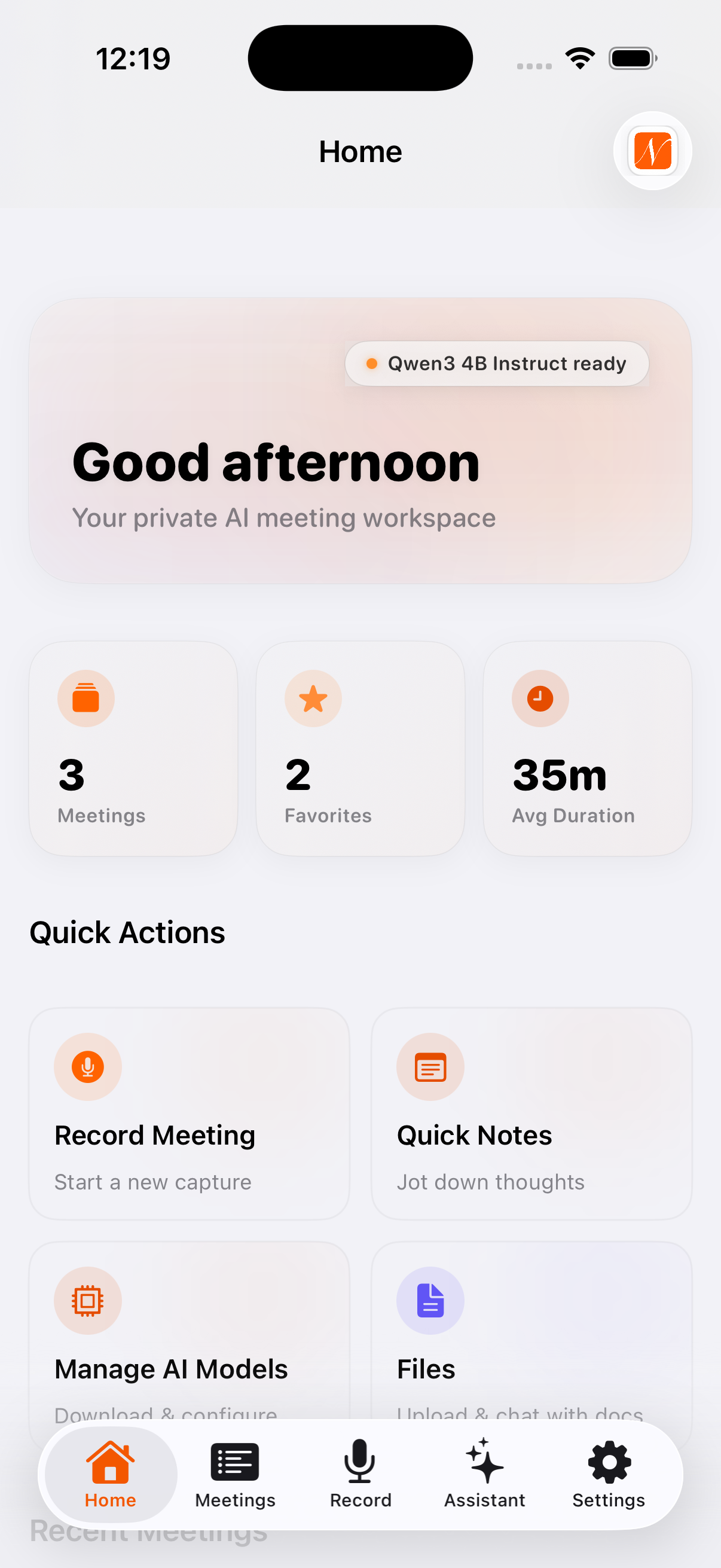
Workspace Home
Your mission control — quick actions, recent meetings, and instant stats at a glance.
Three Steps to
Better Meetings
Record
Tap once to start recording. Nōtare captures crystal-clear audio from any meeting — in person, virtual, or on the go.
Transcribe
Apple Speech, where used, may process audio on Apple servers. Check the transcription mode in your app. Summary processing depends on your selected mode and model readiness.
Review & Ask
Get instant AI summaries with action items. Ask questions about any meeting — "What were the key decisions?" — and get answers in seconds.
Simple, Transparent Pricing
Download free. Add cloud AI when you're ready for more power.
- Free to download from the App Store
- Check available recording and AI modes in the app
- Local models require compatible setup
- Optional monthly subscription
- Review included features and limits before purchase
- Cloud processing requires a connection
- Optional monthly subscription
- Review included features and limits before purchase
- Review provider processing before enabling cloud features
Own Your Meeting Notes.
Supercharge with Pro.
Start free with on-device AI. Upgrade to Pro for cloud-powered intelligence.